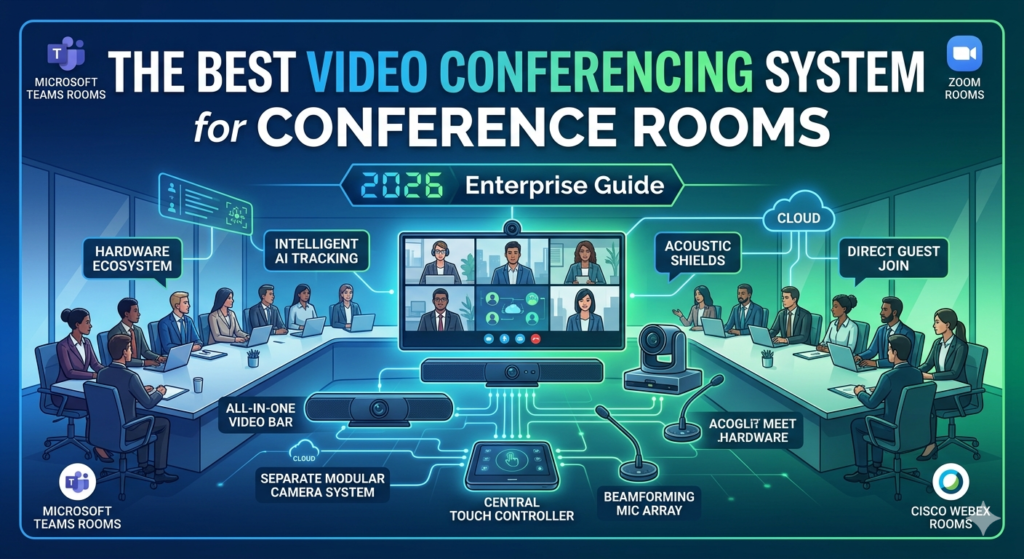
Choosing the Best Video Conferencing System for Conference Room Ecosystems
Hardware Breakdown: The Best Video Conferencing System for Conference Room Layouts by Size
Hardware requirements scale directly with physical square footage and seating capacity. An underpowered system leaves remote participants blind to half the room, while an overpowered system introduces unnecessary deployment friction.Small Spaces: The Best Video Conferencing System for Conference Room Huddle AreasTop Hardware Picks: Logitech Rally Bar Mini or Insta360 ConnectThe Blueprint: Small rooms require ultra-wide lenses because participants sit close to the camera. To build the best video conferencing system for conference room spaces of this size, choose an all-in-one video bar with a 120-degree field of view (FOV).
Integrated beamforming microphones eliminate the need for running complex cables across small tables.Key Advantage: Compact, plug-and-play installation with a zero-footprint design.Mid-Sized Spaces: The Best Video Conferencing System for Conference Room LayoutsTop Hardware Picks: Poly Studio X52 or Neat BarThe Blueprint: Medium spaces require specialized optical zoom to maintain visual clarity down the length of the table. The best video conferencing system for conference room environments with 6 to 12 participants leverages AI-driven framing (like Poly's DirectorAI), which automatically tracks the active presenter or frames the group dynamically without manual control.Boardrooms:
The Best Video Conferencing System for Conference Room Large-Scale DeploymentsTop Hardware Picks: Logitech Rally Plus or Poly Studio V52 with Expansion MicsThe Blueprint: All-in-one video bars fail in large boardrooms because audio quality drops significantly past 15 feet. Large rooms require modular systems. The Rally Plus separates speakers from cameras to prevent lens vibration at high volumes and uses daisy-chained pod microphones placed down the center of the table.Audio Architecture in the Best Video Conferencing System for Conference Room EnvironmentsLarge boardroom spaces are highly susceptible to echo and acoustic distortion. The best video conferencing system for conference room deployments handles this by utilizing 32-bit float audio processing and advanced beamforming mic arrays. This ensures that softer voices at the back of the room are automatically amplified clearly without clipping, even when closer participants speak loudly at the same time.
Technical Metrics for the Best Video Conferencing System for Conference Room ROI
Conclusion
If your office runs entirely on Microsoft 365, deploy Microsoft Teams Rooms via a Poly Studio or Logitech Rally package. If your enterprise environment relies heavily on external client meetings where platform predictability varies, the best video conferencing system for conference room flexibility is a hardware architecture built around Zoom Rooms due to their highly resilient external guest protocols.